
Peace of Mind for Families.
Continuity of Care for Providers.
DejaVue SeniorCare is the operating system for senior-care organizations: staffing, scheduling, daily check-ins, medications, video visits and family updates, with one dashboard for every role on the care team.
- Six role-based apps
- Coordinator-approved coverage
- Full audit trail
Senior care runs on people. Give them one place to work together.
Agencies juggle spreadsheets, group texts and phone trees to keep care on track. DejaVue replaces the scramble with a single, secure system that every member of the care team can actually use.
Fill call-outs in minutes
SmartShift Alert™ finds eligible replacements, ranks them 0–100 and sends offers. A coordinator confirms, so the right person is always on shift.
Explore CareMatch™Keep care continuous
Daily check-ins, medication reminders, care plans, appointments and rides, with an attention queue that flags falls, pain and missed doses.
See the platformSee patients face to face
Providers host encrypted video visits with up to ten participants, with waiting room, screen sharing and attendance records.
Discover Video VisitsBuilt for the way agencies actually work
Real screens from the DejaVue HealthGrid app, running on synthetic demo data.
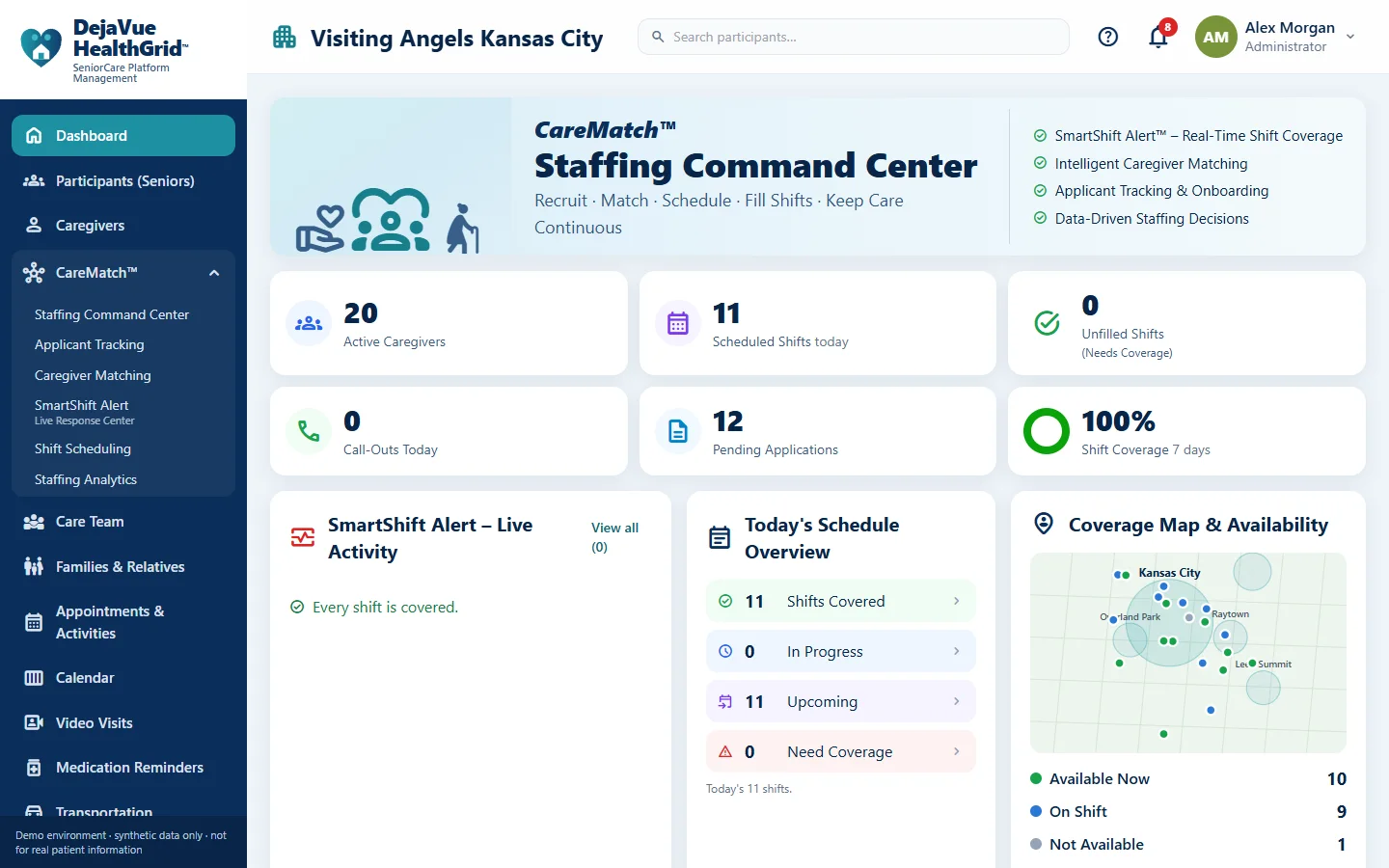
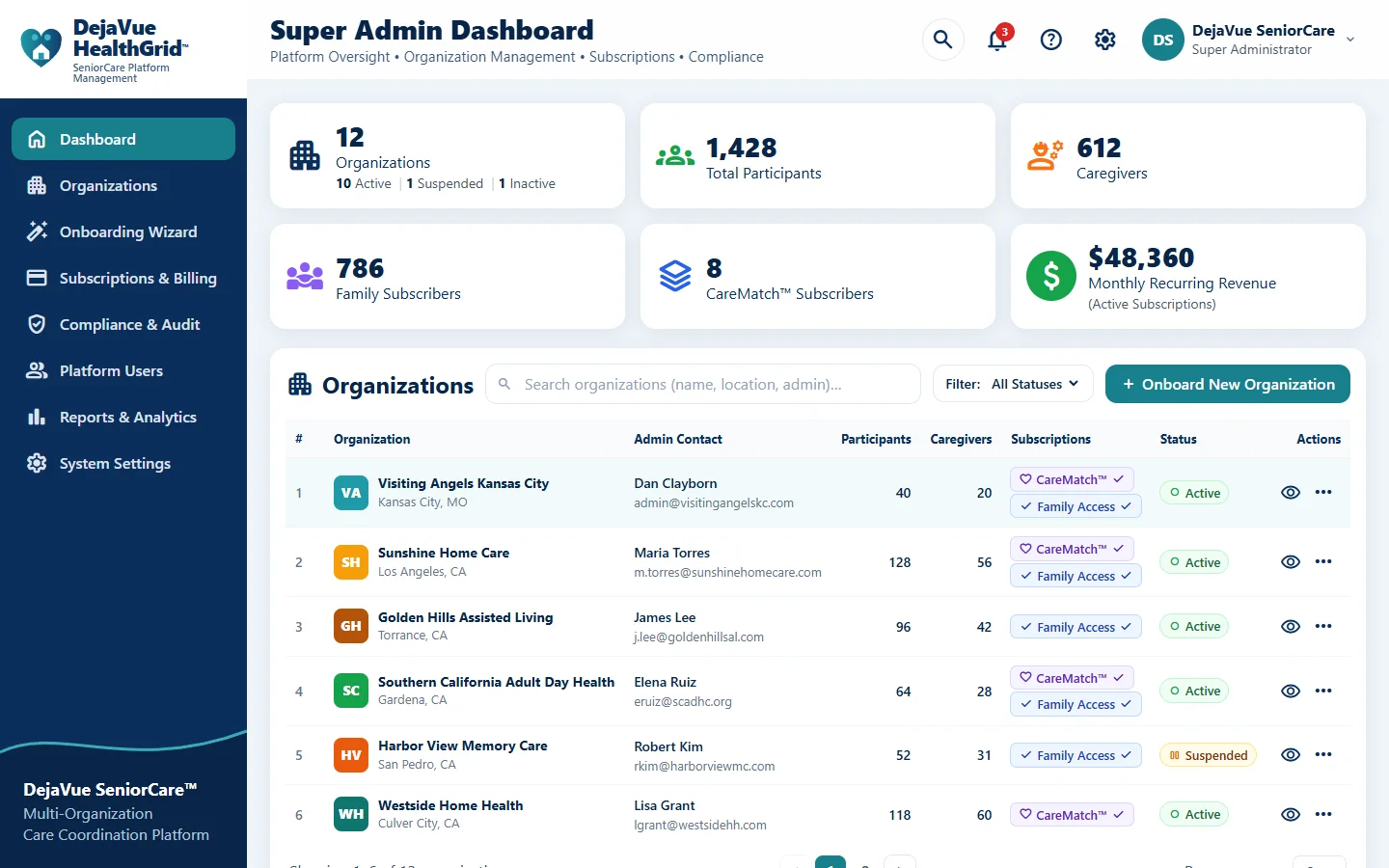
The Staffing Command Center
Active caregivers, today's shifts, unfilled shifts, call-outs and pending applications at a glance, with a live coverage map and SmartShift activity feed.
- Coverage in real time. Shifts covered, in progress, upcoming and needing coverage.
- Applicant tracking from application to onboarding.
- Staffing analytics: fill rate, time to fill and most responsive caregivers.
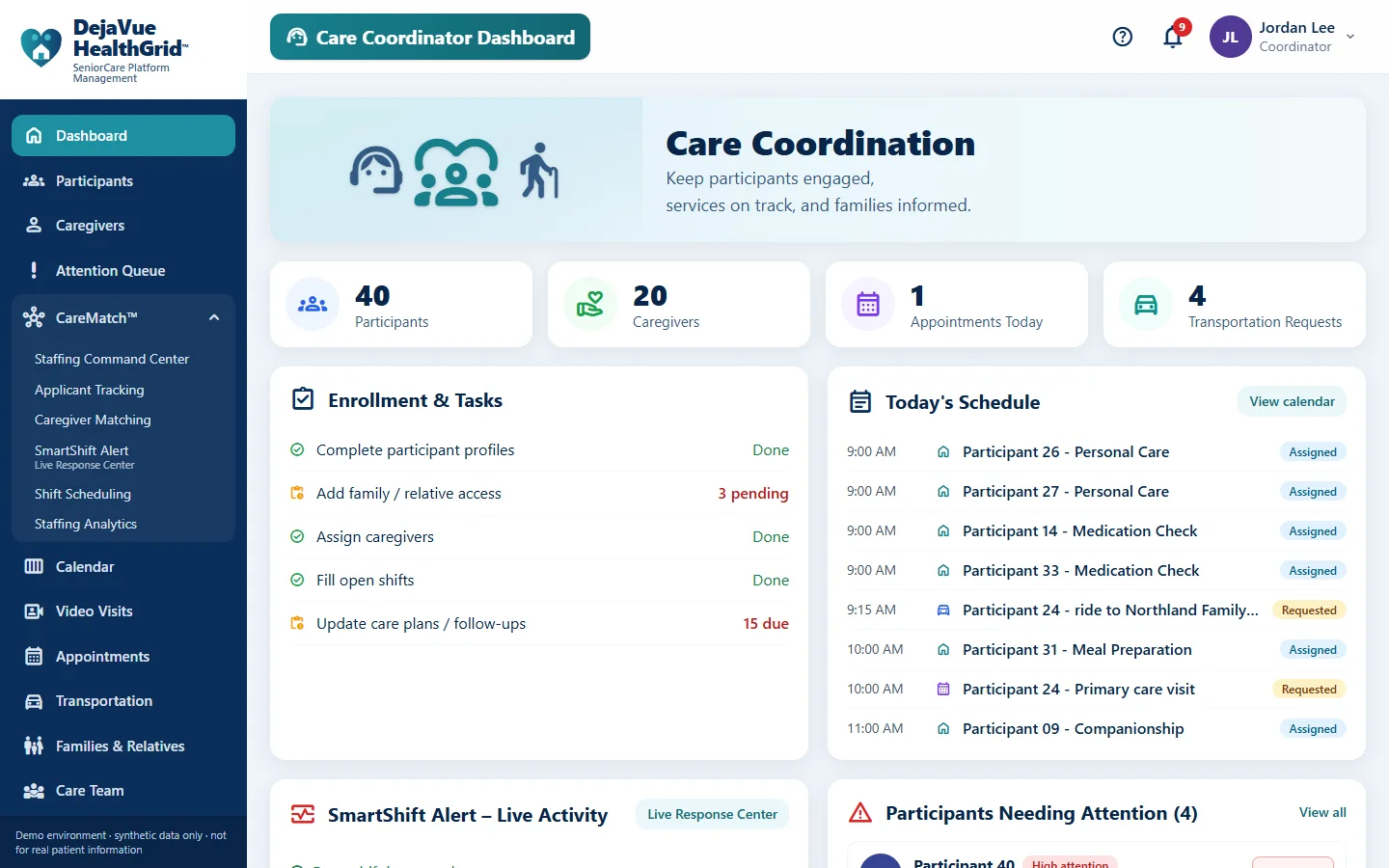
Everything a coordinator needs today
Enrollment tasks, today's schedule, participants needing attention and SmartShift activity, all on the coordinator's home screen.
- Attention queue for falls, high pain, help requests and missed doses.
- Calendar of visits, appointments, rides and video visits in the agency's time zone.
- Care plans, tasks and messages tied to each participant.
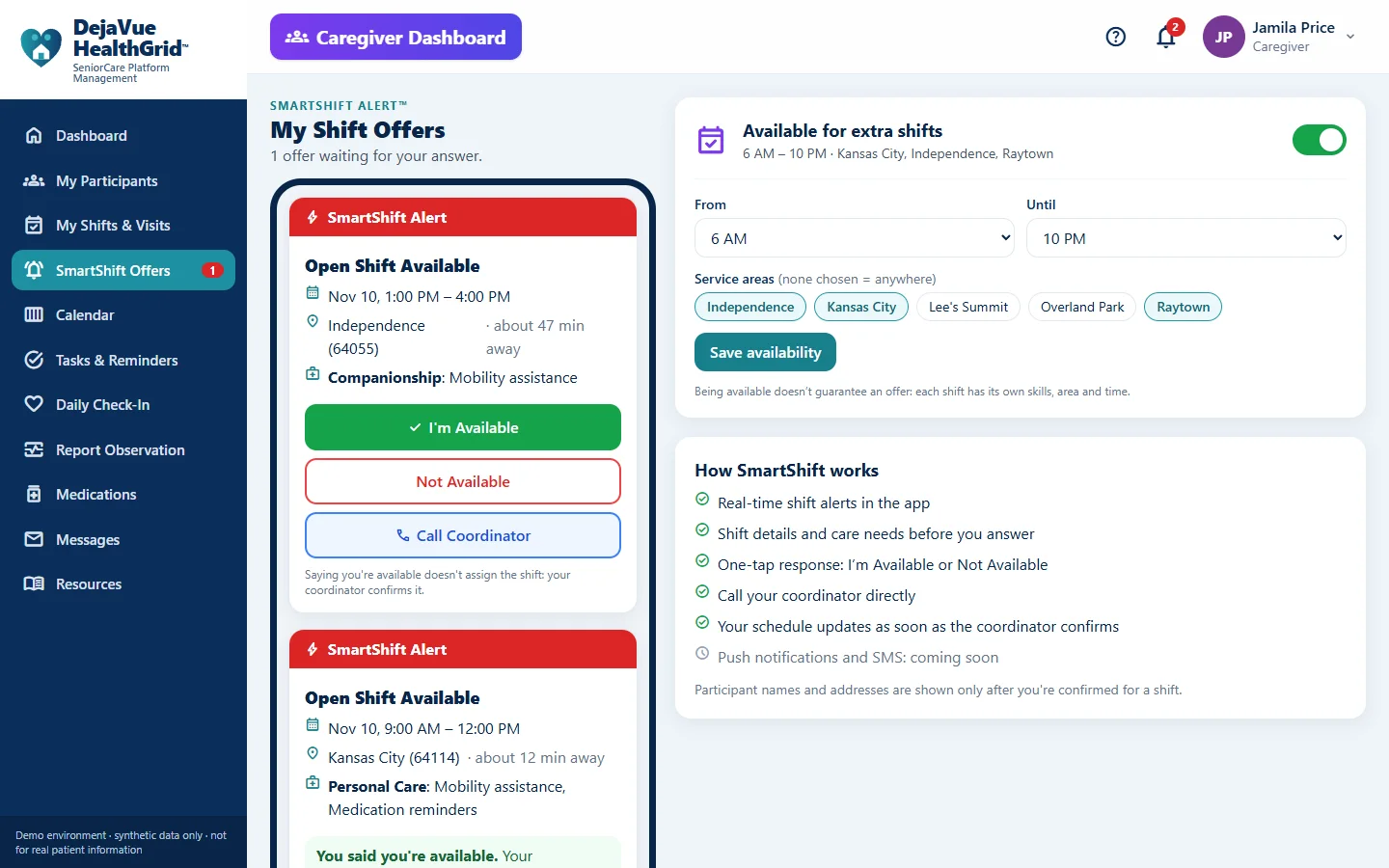
Shift offers caregivers can answer in one tap
Caregivers see open shifts that fit their skills, areas and hours, then answer I'm Available, Not Available or Call Coordinator.
- Availability switch with preferred hours and service areas.
- Privacy by design: participant names appear only after confirmation.
- My shifts, tasks and observations in one place.
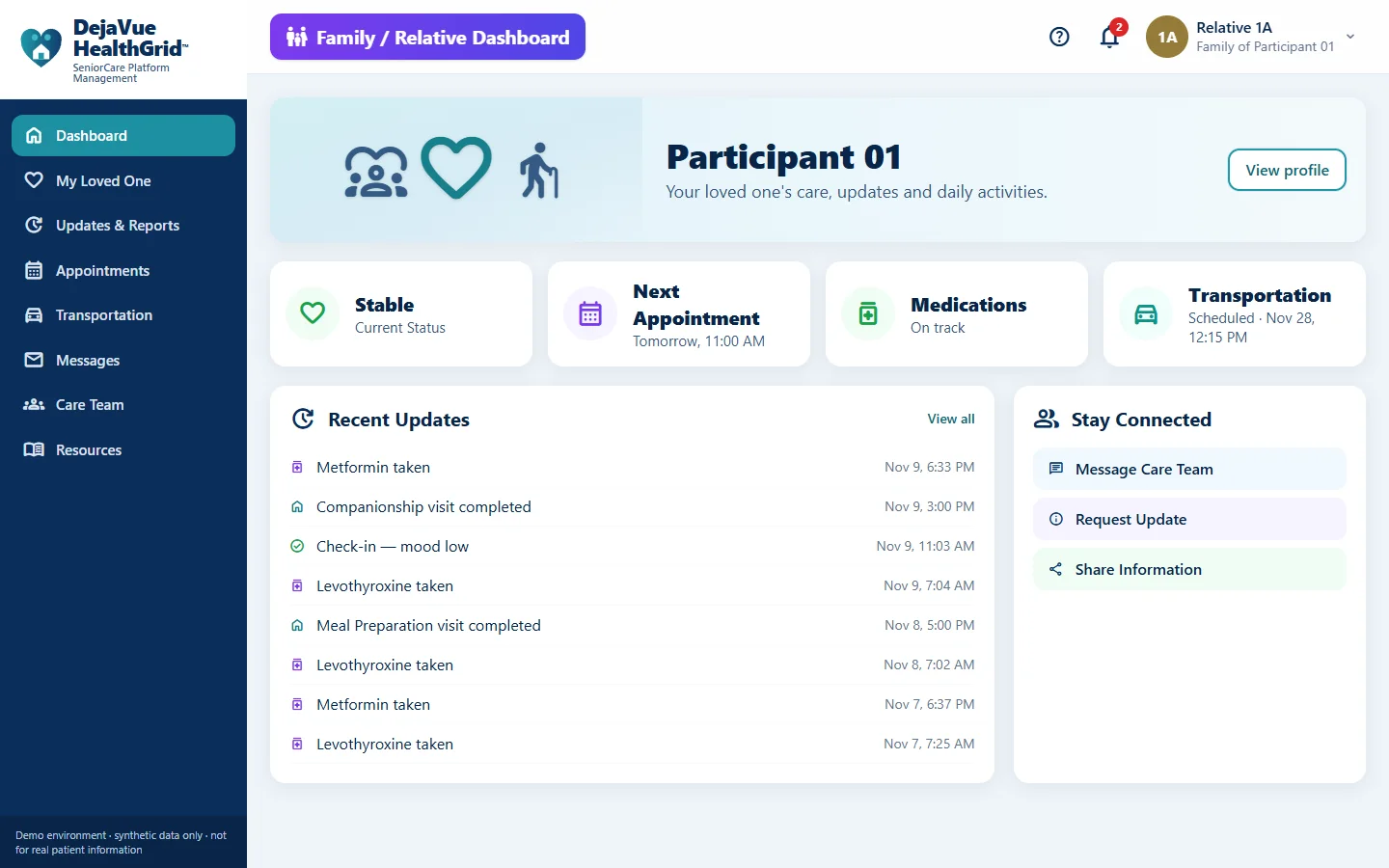
Large, friendly screens for seniors. Peace of mind for families.
Participants see medications, appointments, rides, their care team and a daily check-in, with a larger-text option. Families follow their loved one's updates.
- Daily check-in that alerts the care team when something's wrong.
- Family Access shows status, appointments and updates, never clinical notes.
- Join now banner for scheduled video visits.
Run every organization from one console
Onboard organizations, manage CareMatch™ and Family Access subscriptions, track recurring revenue and review compliance across the platform.
- Onboarding wizard creates the organization, its administrator and plans.
- Suspend or deactivate an organization with one action.
- Audit trail and error log for every change.
A caregiver calls out at 6 a.m. Here's what happens next.
No phone trees, no group texts. SmartShift turns a call-out into a ranked list of qualified replacements and a single tap for each caregiver, while a coordinator keeps the final say.
Call-out reported
The coordinator, or the caregiver, reports it. The shift reopens instantly.
Eligible matches ranked
Skills, service area, preferred hours and conflicts are checked; matches score 0–100 on skills, continuity, distance and reliability.
Offers go out
Caregivers get an in-app alert and answer in one tap.
Coordinator confirms
Eligibility is re-checked and the shift is locked, so it's assigned once. Everyone is notified.
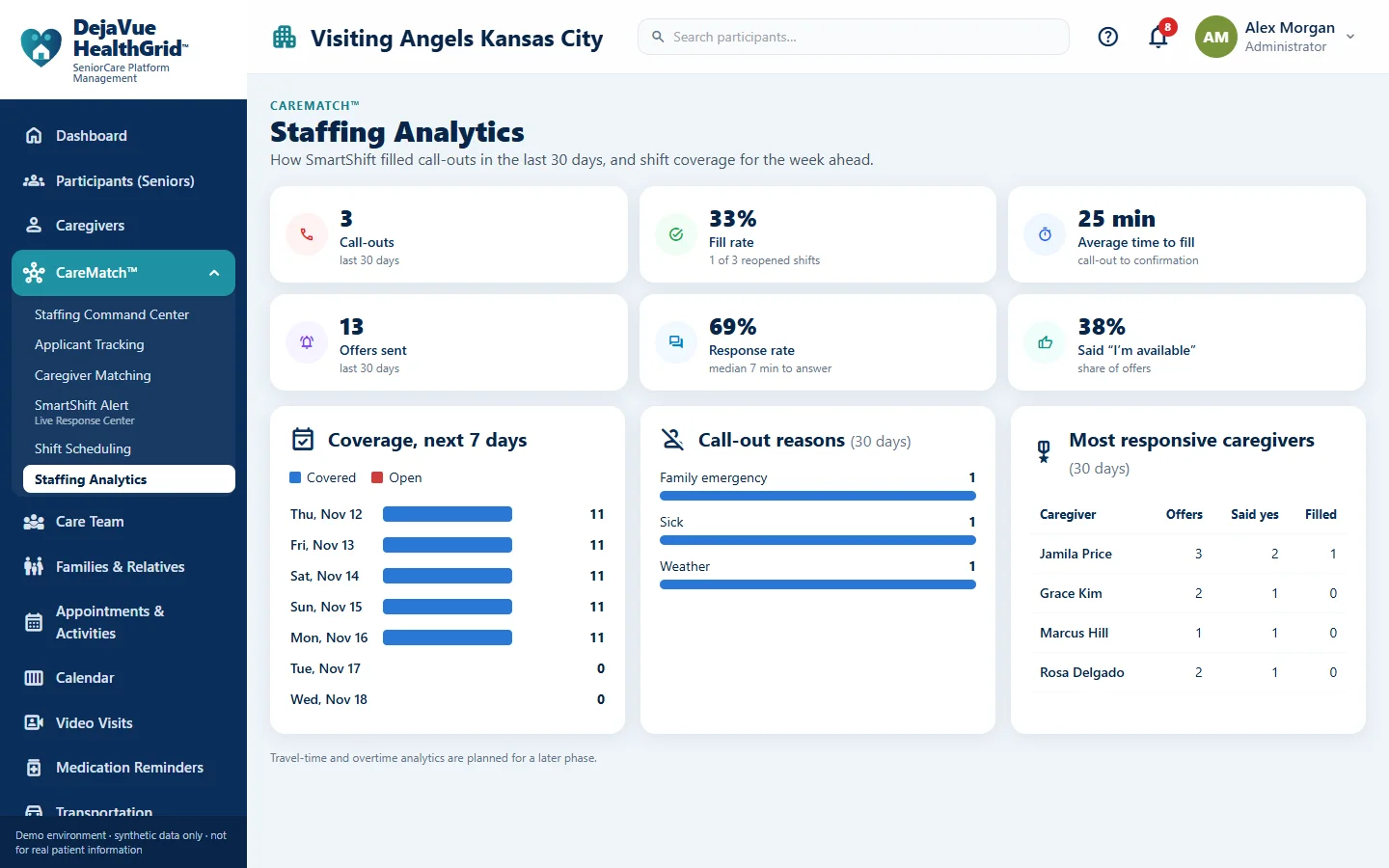
Staffing Analytics: call-outs, fill rate, time to fill and response rates.
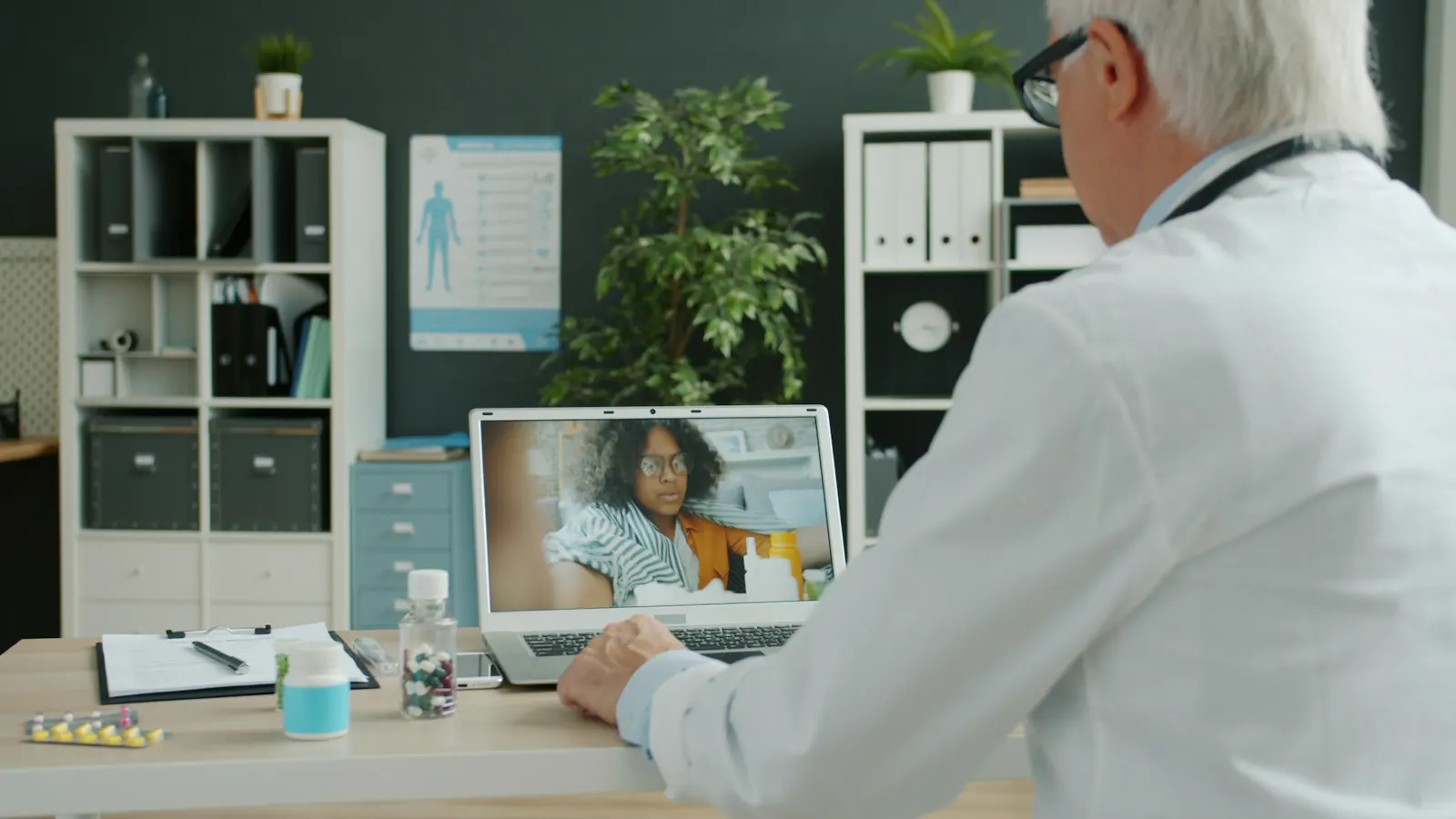
Telehealth that fits the care plan, not another app to install.
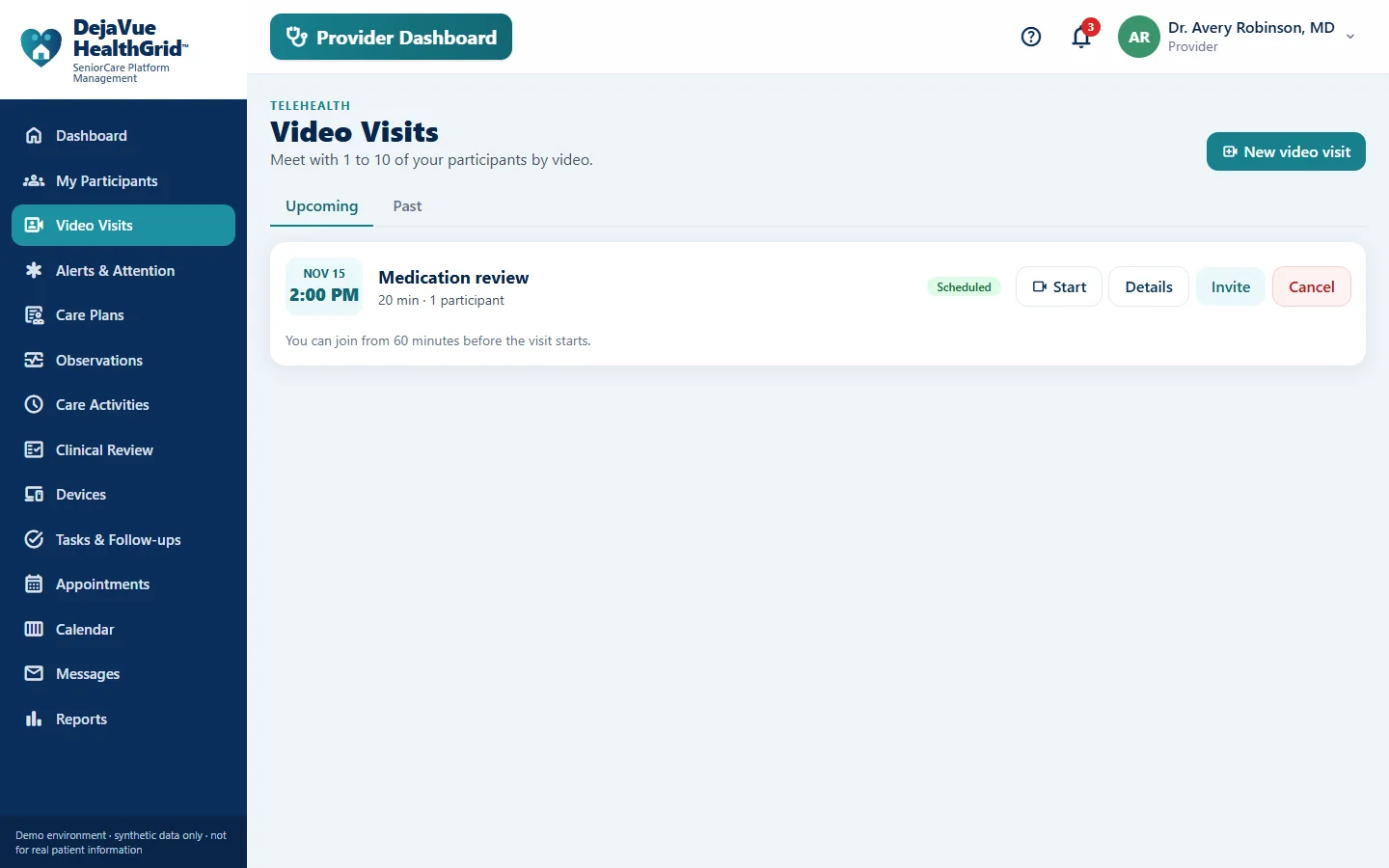
Providers schedule visits with one to ten of their own participants. Seniors join from their dashboard, without downloads or accounts to set up.
- Encrypted, browser-to-browser calls with no third-party video service.
- Waiting room and a Join now banner 15 minutes before the visit.
- Screen sharing, chat, raise hand and host controls.
- Attendance kept; calls aren't recorded and chat isn't stored.
See DejaVue in 40 seconds
From the Super Admin console to the family portal: every screen in this tour is the real product.
Six apps. One shared record of care.
Each person signs in once and sees what their role needs, decided on the server, so nobody sees more than they should.
Run the agency
Staffing, participants, caregivers, reports, onboarding and the audit trail.
Learn more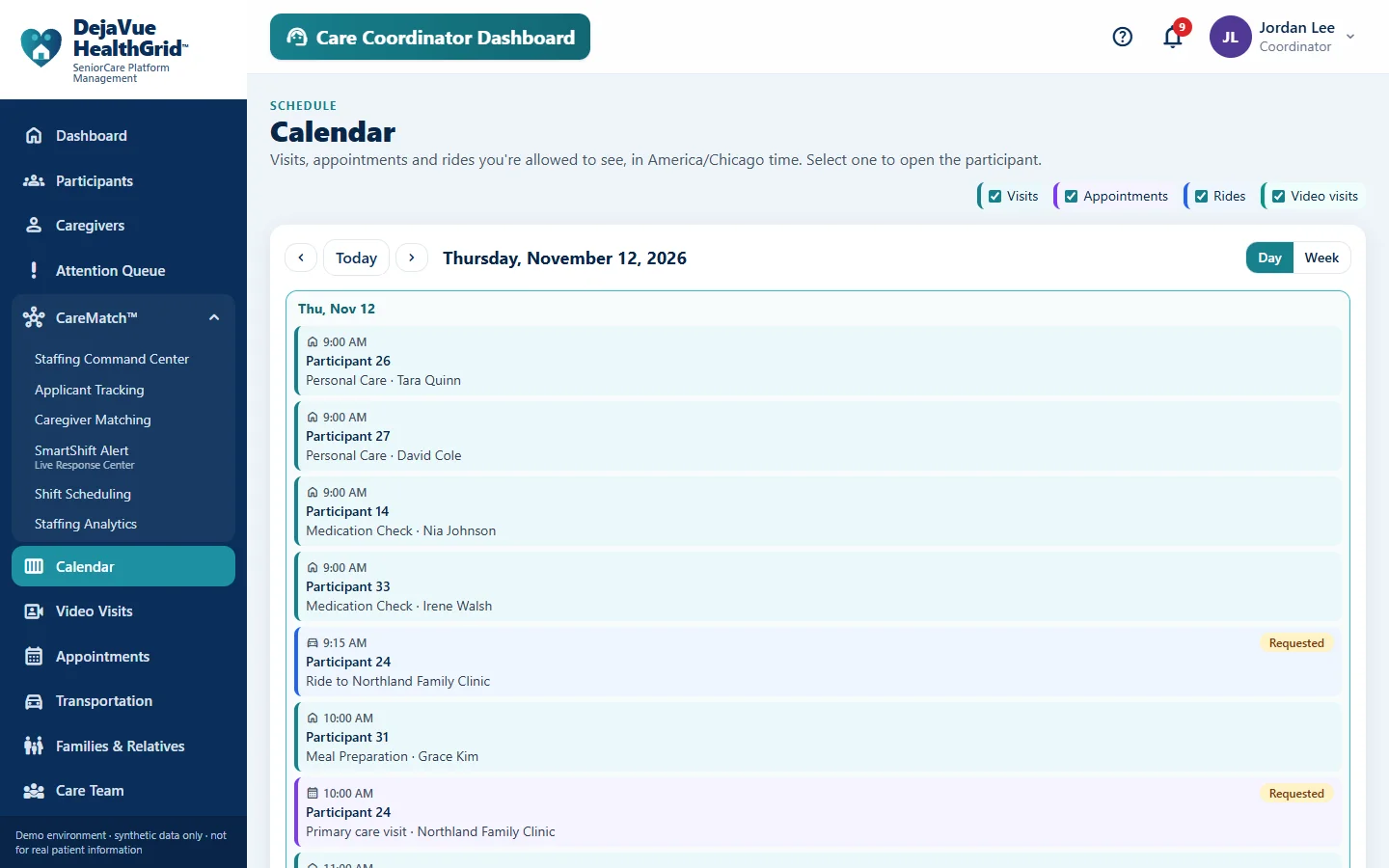
Orchestrate the day
Schedules, call-outs, the attention queue, rides and family communication.
Learn more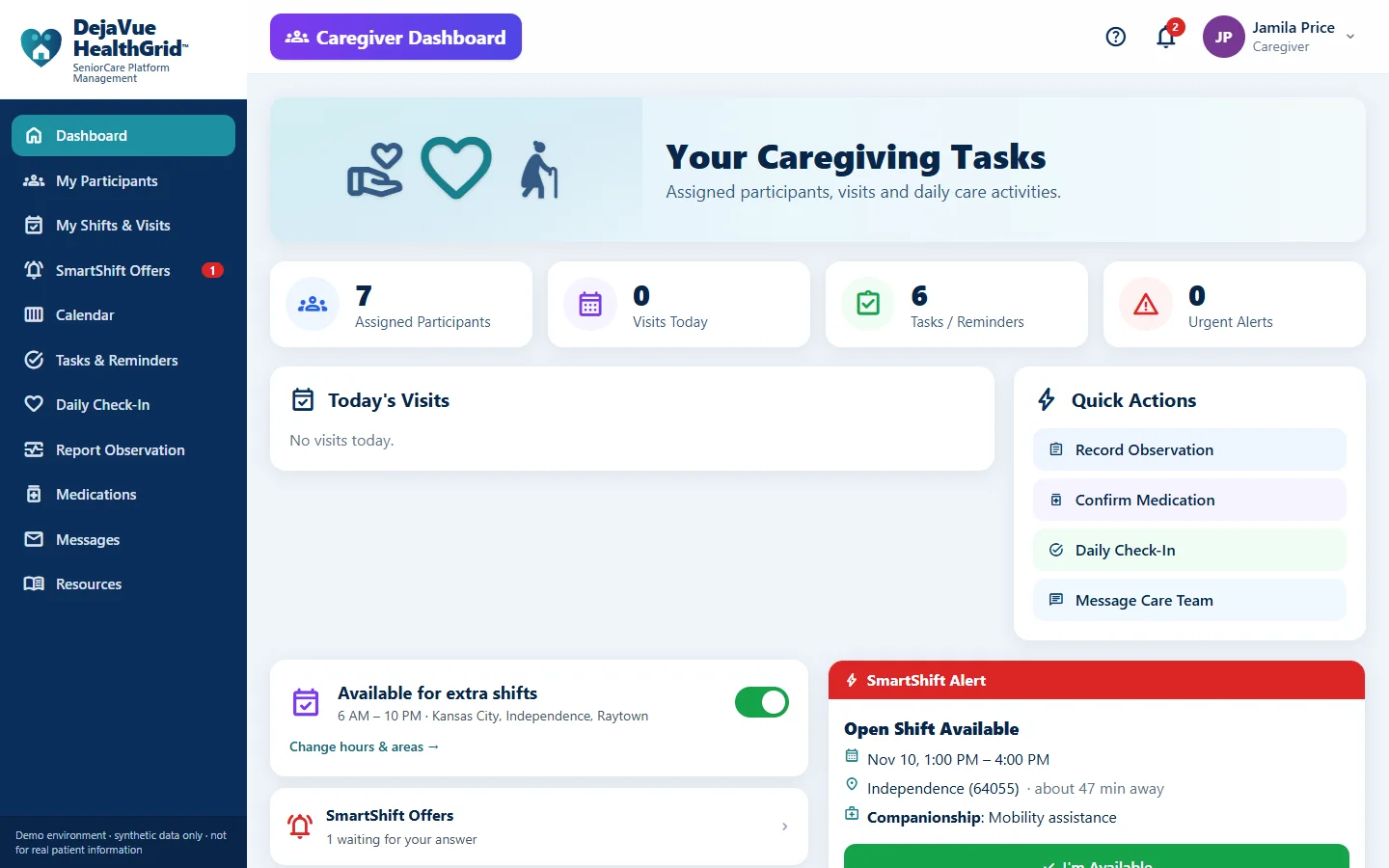
Show up prepared
Shifts, visits, tasks, observations and SmartShift offers on any device.
Learn more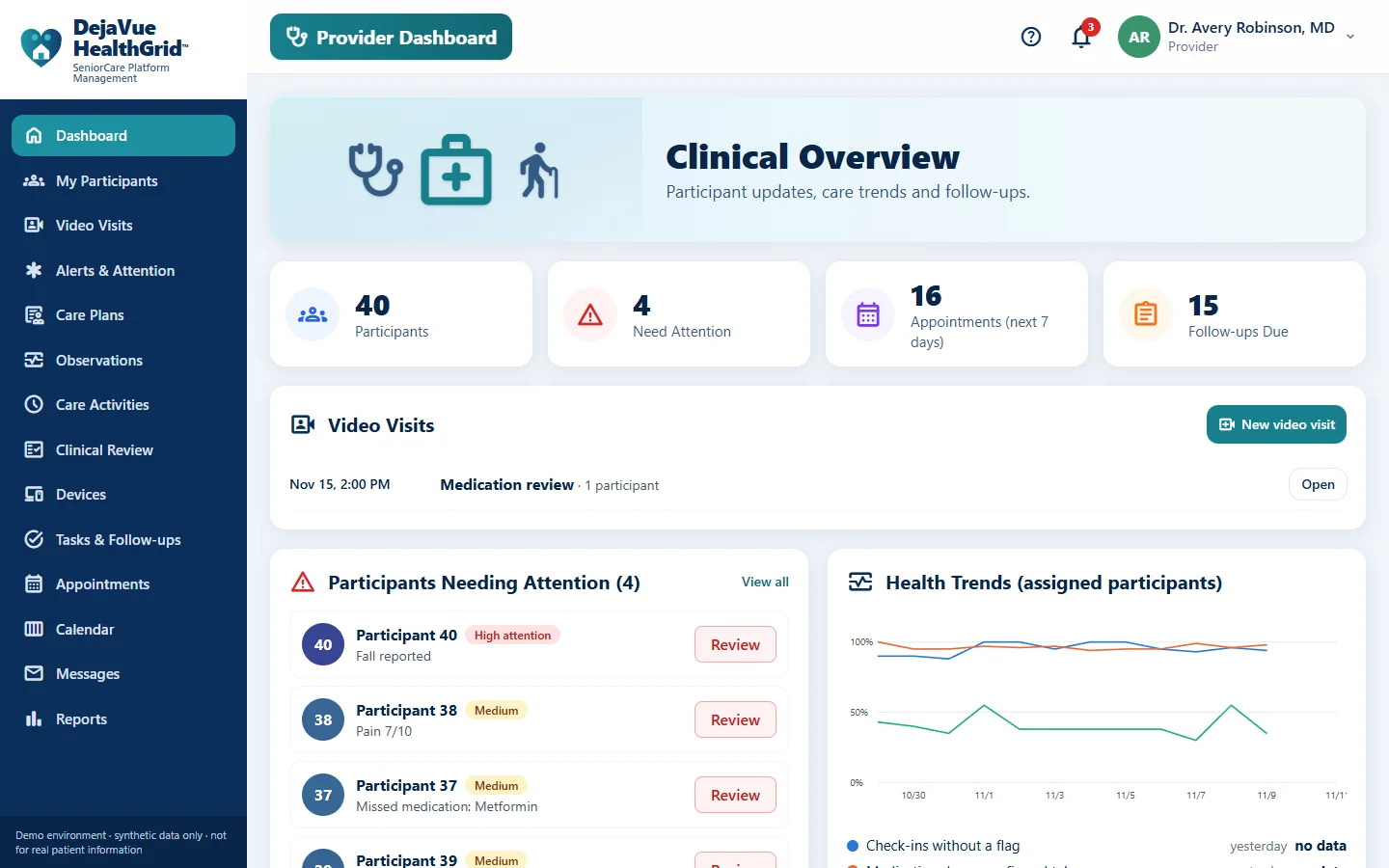
Review and connect
Clinical review, alerts, devices and readings, and video visits with patients.
Learn more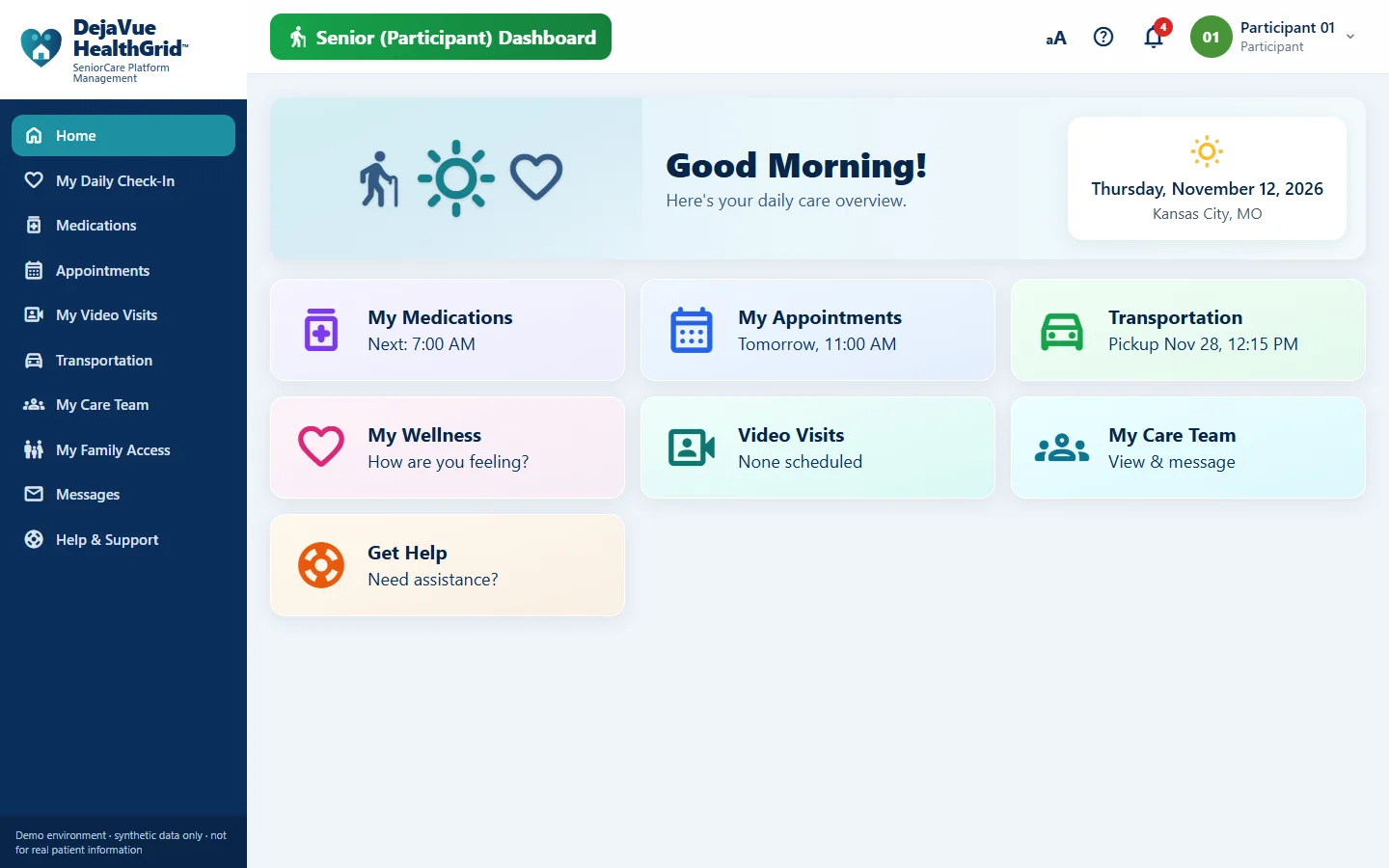
Stay independent
Medications, appointments, rides and a daily check-in, with large text.
Learn moreStay in the loop
Their loved one's status, updates and appointments, and a line to the care team.
Learn moreDesigned for sensitive care data from the first line of code.
Every organization's records are isolated, every change is audited, and every role sees only what it should.
Secure sign-in
Hashed passwords, lockout after repeated failures, expiring reset links.
Tenant isolation
Records can never point into another organization.
Complete audit trail
Who changed what, and when, for every action.
Role-based access
Enforced by the server, not just the screen.
Shape the platform with us, starting with a pilot.
We're partnering with a small group of home-care agencies to roll out DejaVue, measure the impact on coverage and continuity, and tailor onboarding. Early discussions are underway for a Kansas home-care pilot.
- Guided onboarding of your organization, staff and participants
- Direct input into SmartShift rules and workflows
- Shared measurement of fill rate and time to fill
- Founding-partner pricing discussions
Questions agencies ask us
Does SmartShift assign shifts automatically?
No. Caregivers say whether they're available, but answering never assigns the shift. A coordinator or administrator confirms one caregiver; eligibility is checked again at that moment, and the shift is locked so it can only be assigned once.
Who can see a participant's information?
Administrators and coordinators see every participant in their organization. Providers and caregivers see only the participants they're assigned to; a participant sees only themselves; family members see only the loved one whose access is active, and never clinical details such as pain scores, notes or readings.
Do seniors need to install anything for video visits?
No. Video visits run in the browser. Participants get a notification and a Join now button on their dashboard 15 minutes before the visit.
Can we run several branches or organizations?
Yes. DejaVue is multi-organization from the ground up. Each organization has its own people, participants, schedules and subscriptions, and the Super Admin console oversees them all.
Is DejaVue an emergency service?
No. Worrying check-ins open alerts for the care team to triage, but DejaVue does not replace emergency services or clinical judgment. In an emergency, call 911.
How do we get started?
Request a demo. We'll walk your team through the platform, map it to your workflows and, if it's a fit, set up your organization through our onboarding wizard.
Ready to see DejaVue with your own workflows?
Book a 30-minute walkthrough with our team, or sign in to the live demo and explore every role yourself.